How to set up a shared calendar in Homebears
This guide shows you how to add a calendar by link or file, get the whole circle reminded, and find your way around the calendar view. The short version: tap the calendar icon at the top, tap +, paste the link, pick a reminder and tap Add calendar.
Open the calendar
- In your circle, tap the calendar icon at the top, next to the bell.
- You see a week strip with the days and, underneath, everything that’s on: chores, bills due, planned meals and the calendars your circle has added.
- Tap a day in the strip to jump to it, or use the arrows to move a week back or forward. Today brings you back.
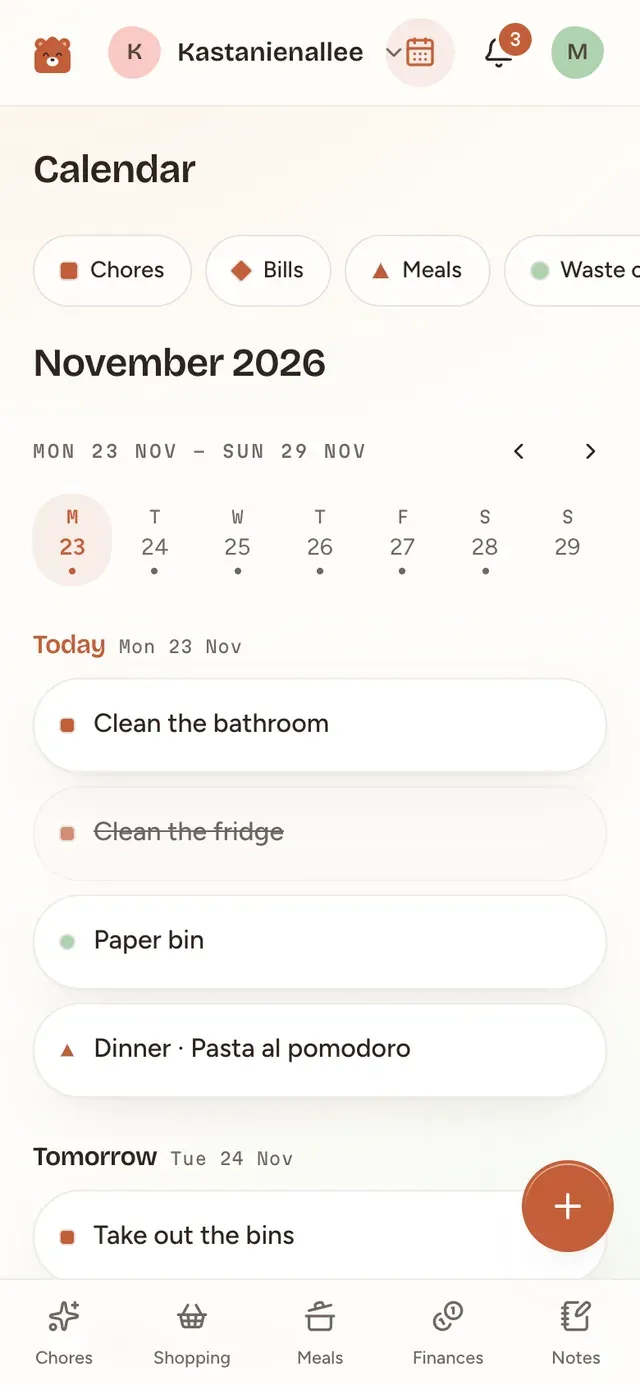
On a computer, the calendar shows a whole month as a grid, with arrows to move between months.
Add a calendar by link
- Tap the round + button. On a computer, it’s Add calendar at the top right.
- Leave Source on Link and paste the address into Calendar link. It usually starts with https:// or webcal://.
- Homebears suggests a Name from the website – change it to something everyone recognises, like “Waste collection”.
- Pick a Color. If your circle has more than one household, choose the Household it belongs to, or leave it on Whole circle.
- Choose a Reminder (see below) and tap Add calendar.
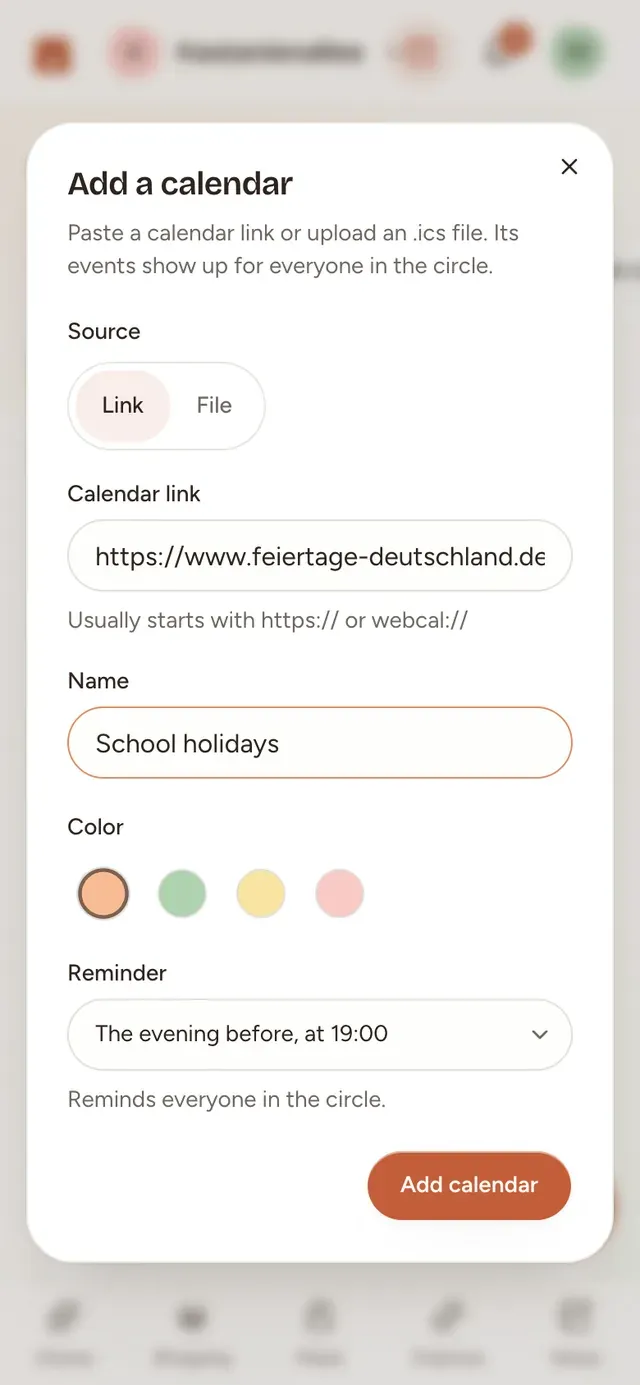
The events appear for everyone in the circle straight away. Linked calendars refresh every night.
Upload an .ics file instead
- Tap +, then switch Source to File.
- Tap the Calendar file (.ics) field and pick the file. Homebears takes the calendar’s own name, or the file name, as a suggestion.
- Set colour and reminder as above and tap Add calendar.
An uploaded file stays exactly as it is. When you get a new one, open the calendar with the pencil under Manage calendars (see below) and use Upload a new file – there’s nothing to refresh.
Get everyone reminded
Each calendar has one Reminder for the whole circle:
- The evening before, at 19:00 – ideal for bin day
- That morning, at 07:00
- An hour before – for all-day events this means 07:00 that morning
- No reminder
The reminder goes to everyone in the circle on the channels they’ve chosen for Calendar reminders, and to your circle’s Telegram group if you’ve linked one. The times follow the household’s time zone.
Choose what you see
- Under the heading, tap Chores, Bills, Meals or a calendar’s name to hide or show it. This only changes your own view.
- If your circle has more than one household, use the household chip to see just one.
- Tap an entry to see its details. For an event from an added calendar, Show only this calendar filters the view down to it; tap the chip with its name to show everything again.
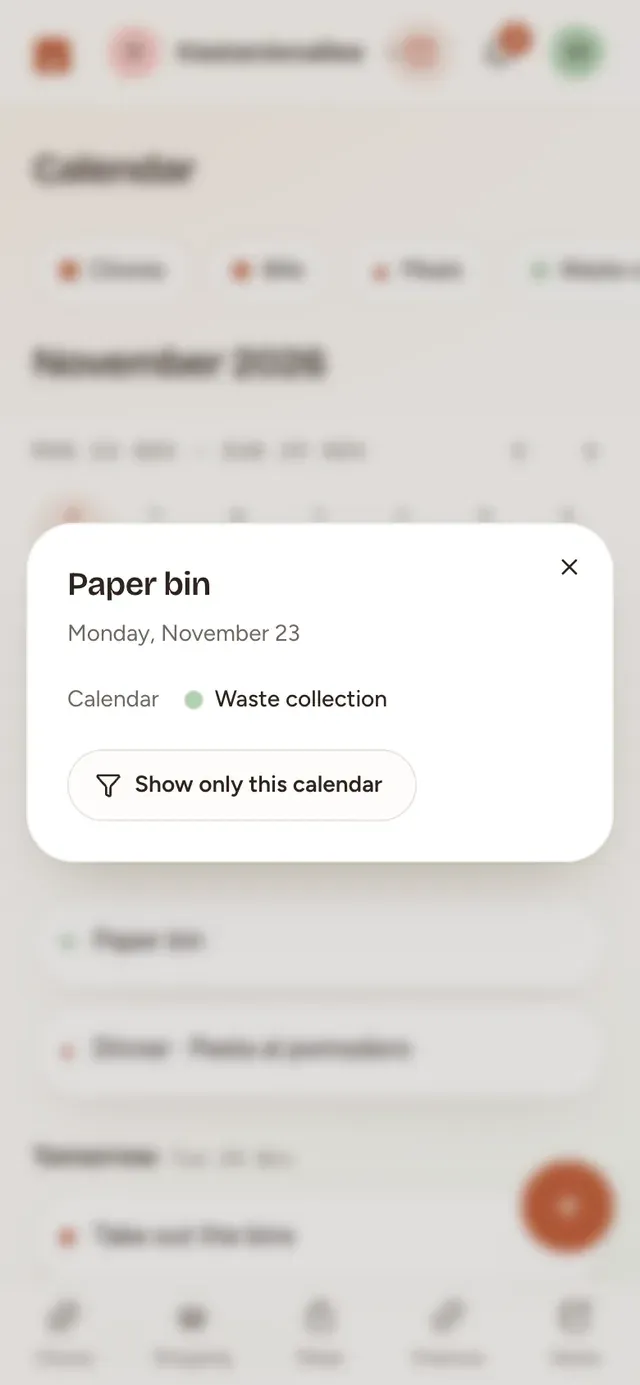
Change or remove a calendar
- Tap Manage calendars at the end of the row of chips.
- Under Your calendars you see each calendar with its reminder, number of events and when it was last updated.
- Tap the refresh arrow to fetch a linked calendar right now, the pencil to change its name, colour, household or reminder, or the bin to remove it.
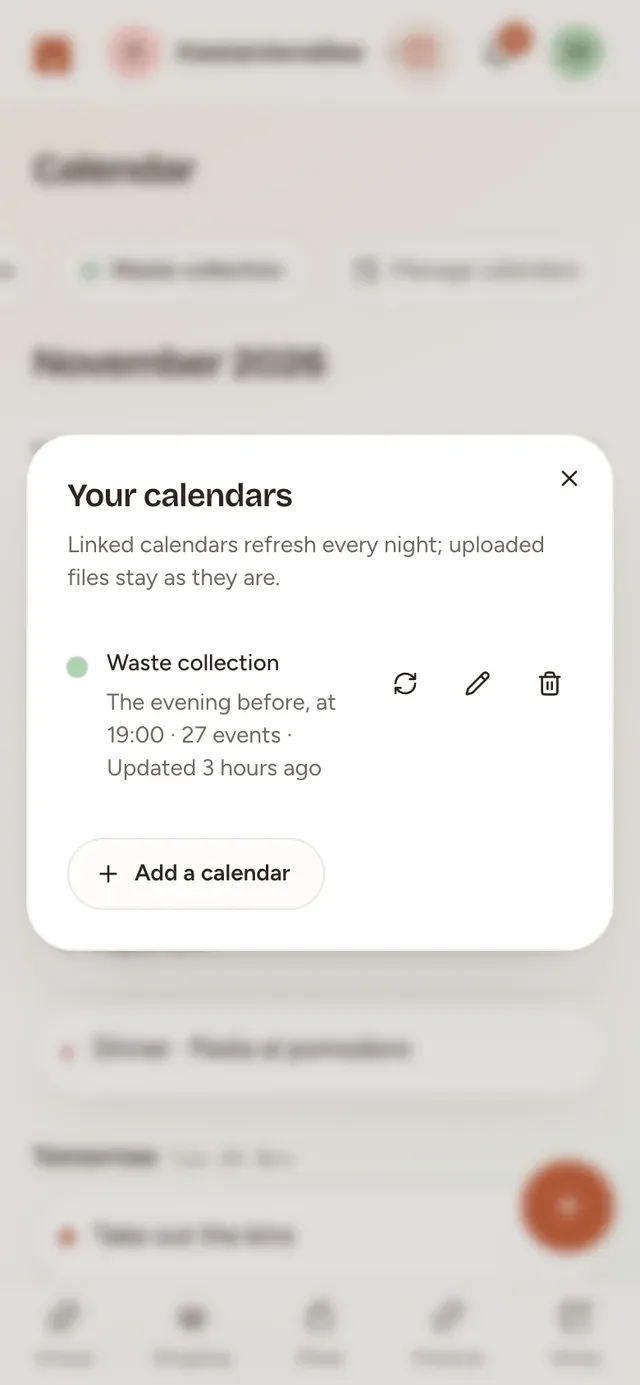
Removing a calendar deletes its events for everyone in the circle, after you confirm. The link of a linked calendar can’t be changed – remove it and add the new one.
Good to know
- The calendar is read-only: you can’t create or edit events in Homebears. Change them at the source.
- A circle can have up to 25 added calendars, and everyone in the circle sees all of them.
- There’s no two-way sync with Google or Outlook. For a Google calendar, use its “secret address in iCal format”.
- If a calendar shows a note that some events couldn’t be read, the source file has entries Homebears doesn’t understand; the rest still show.
- The next seven days also appear on your dashboard.
More about the calendar on the shared calendar feature page. To decide how reminders reach you, see notifications; bills and chores in the calendar come from shared expenses and chores.
Questions and answers
- Where do I find the link for our bin collection?
- Most towns and waste companies publish bin days as a calendar link (often starting with webcal://) or as an .ics file to download. Look for “calendar”, “iCal” or “subscribe” on their collection dates page.
- Can I add events by hand?
- No. The calendar shows calendars you add plus chores, bills and meals from Homebears. To add a one-off event, put it in the calendar you subscribe to – it shows up after the next refresh.